
>
<스타일>#detail_장식_루트 .magic-0{폭:750px}#detail_장식_루트 .magic-1{overflow:hidden;width:750px;height:515px;margin-top:0;margin-bottom:0;margin-left:0;margin-right:0}#detail_장식_루트 .magic-2{margin-top:0;margin-left:0;width:750px;height:515px}#detail_ decorate_root .magic-3{overflow:hidden;width:750px;height:137px;margin-top:0;margin-bottom:0;margin-left:0;margin-right:0}#detail_장식_루트 .magic-4{margin-top:0;margin-left:0;width:750px;height:137px}#detail_ decorate_root .magic-5{width:750px;border-collapse:collapse}#detail_ decorate_root .magic-6{min-height:28px;padding:5px 10px;너비:281px;최소 높이:28px;박스 크기:콘텐츠 상자}#detail_장식_루트 .magic-7{최소 높이:28px;패딩:5px 10px;폭:412px;최소 높이:28px;상자 크기:콘텐츠 상자}#detail_장식_루트 .magic-8{margin-bottom:10px;line-height:0}#detail_장식_루트 .magic-9{margin-bottom:0}#detail_장식_루트 .magic-10{위치:상대;폭:100%}#detail_장식_루트 .magic-11{overflow:hidden;width:750px;height:879px;margin-top:0;margin-bottom:0;margin-left:0;margin-right:0}#detail_장식_루트 .magic-12{margin-top:0;margin-left:0;width:750px;height:879px}#detail_ decorate_root .magic-13{overflow:hidden;width:750px;height:912px;margin-top:0;margin-bottom:0;margin-left:0;margin-right:0}#detail_장식_root .magic-14{margin-top:0;margin-left:0;width:750px;height:912px}#detail_장식_root .magic-15{overflow:hidden;width:750px;height:1284px;margin-top:0;margin-bottom:0;margin-left:0;margin-right:0}#detail_장식_루트 .magic-16{margin-top:0;margin-left:0;width:750px;height:1284px}#detail_ decorate_root .magic-17{overflow:hidden;width:750px;height:777px;margin-top:0;margin-bottom:0;margin-left:0;margin-right:0}#detail_장식_root .magic-18{margin-top:0;margin-left:0;width:750px;height:777px}#detail_장식_root .magic-19{overflow:hidden;width:750px;height:482px;margin-top:0;margin-bottom:0;margin-left:0;margin-right:0}#detail_장식_루트 .magic-20{margin-top:0;margin-left:0;width:750px;height:482px}#detail_장식_root .magic-21{overflow:hidden;width:750px;height:560px;margin-top:0;margin-bottom:0;margin-left:0;margin-right:0}#detail_장식_루트 .magic-22{margin-top:0;margin-left:0;width:750px;height:560px}#detail_장식_root .magic-23{overflow:hidden;width:750px;height:568px;margin-top:0;margin-bottom:0;margin-left:0;margin-right:0}#detail_장식_root .magic-24{margin-top:0;margin-left:0;width:750px;height:568px}#detail_장식_root .magic-25{overflow:hidden;width:750px;height:737px;margin-top:0;margin-bottom:0;margin-left:0;margin-right:0}#detail_장식_root .magic-26{margin-top:0;margin-left:0;width:750px;height:737px}#detail_ decorate_root .magic-27{overflow:hidden;width:750px;height:969px;margin-top:0;margin-bottom:0;margin-left:0;margin-right:0}#detail_장식_root .magic-28{margin-top:0;margin-left:0;width:750px;height:969px}#detail_장식_root .magic-29{overflow:hidden;width:750px;height:132px;margin-top:0;margin-bottom:0;margin-left:0;margin-right:0}#detail_장식_루트 .magic-30{margin-top:0;margin-left:0;width:750px;height:132px}#detail_장식_root .magic-31{수직 정렬:상단}#detail_장식_루트 .magic-32{수직 정렬:상단;디스플레이:블록;패딩-오른쪽:4px;박스-크기:테두리-박스;패딩-왼쪽:4px}#detail_장식_루트 .magic-33{vertical-align:top;padding-bottom:4px;box-sizing:border-box;padding-top:4px}#detail_장식_루트 .magic-34{padding:0;margin:0;white-space:pre-wrap;font-size:14px}#detail_장식_루트 .magic-35{font-size:14px}#detail_장식_루트 .magic-36{글꼴 크기:16px}#detail_장식_루트 .magic-37{overflow:hidden;width:750px;height:382px;margin-top:0;margin-bottom:0;margin-left:0;margin-right:0}#detail_장식_루트 .magic-38{margin-top:0;margin-left:0;width:750px;height:382px}


<몸>




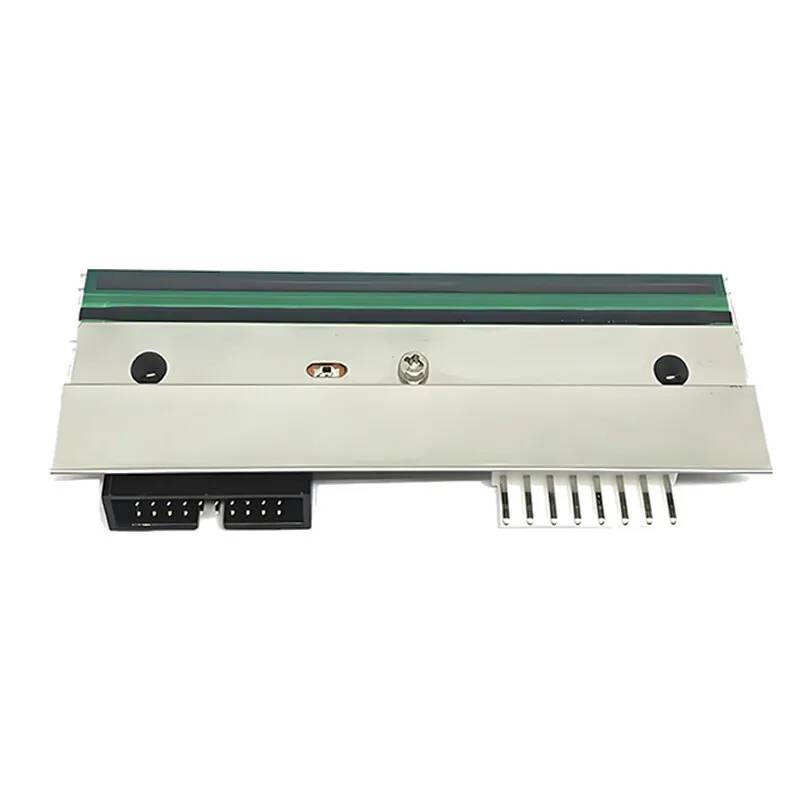
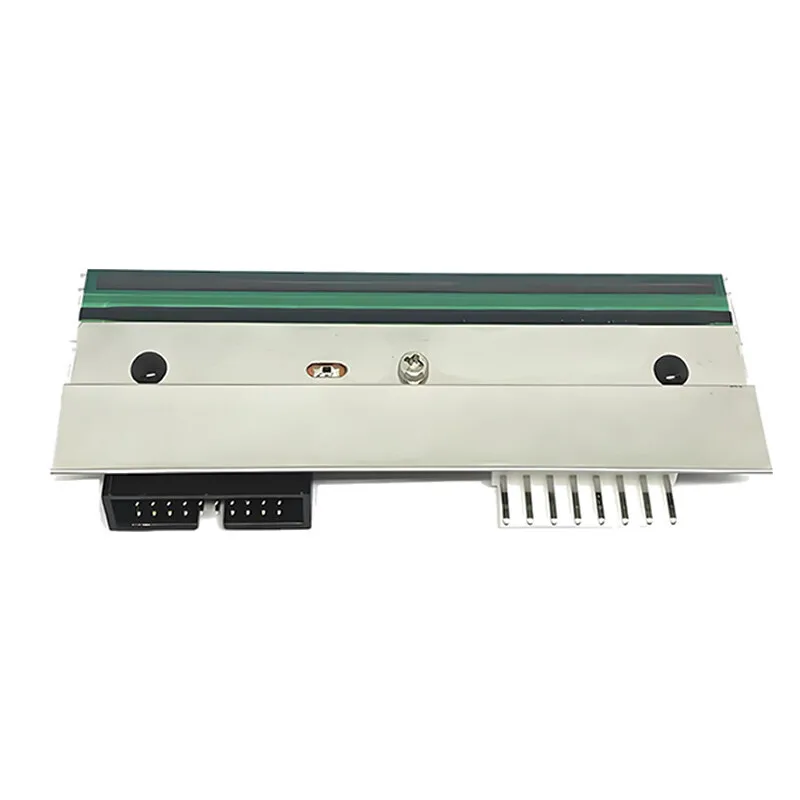
 1. Q: 열전사 프린트 헤드의 작동 원리는 무엇입니까? A: 프린트 헤드 내부는 작은 발열체(도트 매트릭스)로 구성되어 있습니다. 전원이 켜진 후 인쇄 신호에 따라 발열체가 선택적으로 가열되므로 리본 코팅이 녹아 매체 표면에 전사되어 선명한 이미지나 텍스트를 형성합니다. 2. Q: 열전사 인쇄와 열전사 인쇄의 차이점은 무엇인가요? A: 열전사 인쇄: 리본이 필요하며 인쇄된 내용은 내구성이 있어 장기 라벨(예: 물류 및 창고 보관)에 적합합니다. 열전사 인쇄: 리본이 필요하지 않으며 감열지를 직접 가열하여 색상을 발색하지만 내부는 퇴색되기 쉽습니다(금전등록기 영수증 등). 3. Q: Codewel 호환 프린트 헤드의 장점은 무엇입니까? A: ① 매우 높은 품질, 모든 액세서리는 중국산 100% 새 제품입니다. ② 박막기술을 채택하고 내부회로기판 설계를 독자적으로 개발한다. ③ 정품 프린트 헤드와 동일한 보증을 제공합니다. ④ 20년 경력의 로옴 일류 R&D팀으로 프린트헤드의 품질관리가 가능합니다. 4. Q: 열전사 프린트 헤드를 올바르게 설치하는 방법은 무엇입니까? A: ① 장치의 전원을 끄고 사용 설명서의 단계에 따라 기존 프린트 헤드를 제거합니다. ② 설치 장소에 먼지나 잔여물이 없도록 깨끗이 청소하십시오. ③ 새 프린트 헤드를 정렬하고 나사를 고정합니다(과도하게 조이지 마십시오). 설치 후 압력을 보정하여 프린트 헤드와 고무 롤러가 균일하게 접촉되었는지 확인하십시오. 5. Q: 인쇄 농도가 고르지 않으면 어떻게 해야 합니까? A:① 프린트 헤드 압력의 균형이 맞는지 확인하고 고무 롤러 압력을 조정하십시오. ② 프린트 헤드 표면을 청소합니다. ③ 리본이 미디어(예: 왁스 기반, 혼합 기반 또는 레진 기반 카본 리본)와 일치하는지 확인하십시오. 6. Q: 프린트 헤드를 얼마나 자주 청소해야 합니까? A: ① 일반 사용: 각 리본 롤을 교체한 후 또는 매일 작업이 끝난 후 청소합니다. ②고부하 사용: 2~3시간마다 청소합니다. ③인쇄 품질이 저하된 것을 발견하면 즉시 청소하십시오. 7. Q: 프린트 헤드를 올바르게 청소하는 방법은 무엇입니까? A: ① 특수 청소용 펜이나 부직포를 사용하여 소량의 이소프로필 알코올을 담급니다(물이나 알코올은 사용하지 마십시오). ②스크래치 방지를 위해 프린트 헤드 표면을 같은 방향으로 부드럽게 닦으십시오. 청소 후 완전히 마를 때까지 기다린 후 기기를 켜십시오. 8. Q: 프린트 헤드의 수명은 얼마나 되나요? A: 사용 빈도, 미디어 유형 및 유지 관리에 따라 일반적으로 길이는 30~50km이며 일부 산업용 프린트 헤드는 최대 100km까지 인쇄할 수 있습니다. 9. Q: 프린트 헤드는 수리가 가능한가요? A: 프린트 헤드는 정밀 전자 부품이므로 일반적으로 수리가 불가능합니다. 직접 교체하는 것이 좋습니다. 10. Q: 프린트 헤드의 DPI는 무엇입니까? DPI를 선택하는 방법 A: DPI는 해상도입니다. DPI(인치당 도트 수)로 측정되며 일반적인 것은 203dpi, 300dpi, 600dpi 등입니다. 해상도가 높을수록 인쇄가 더 미세해집니다. 203dpi: 기본 물류 라벨, 두꺼운 바코드(예: 배송 라벨). 300dpi: 미세한 바코드(예: 의료 라벨), 작은 텍스트 또는 간단한 그래픽. 600dpi: 고정밀 이미지, 마이크로 텍스트(예: 전자 부품 라벨, 위조 방지 라벨)

|
이름
|
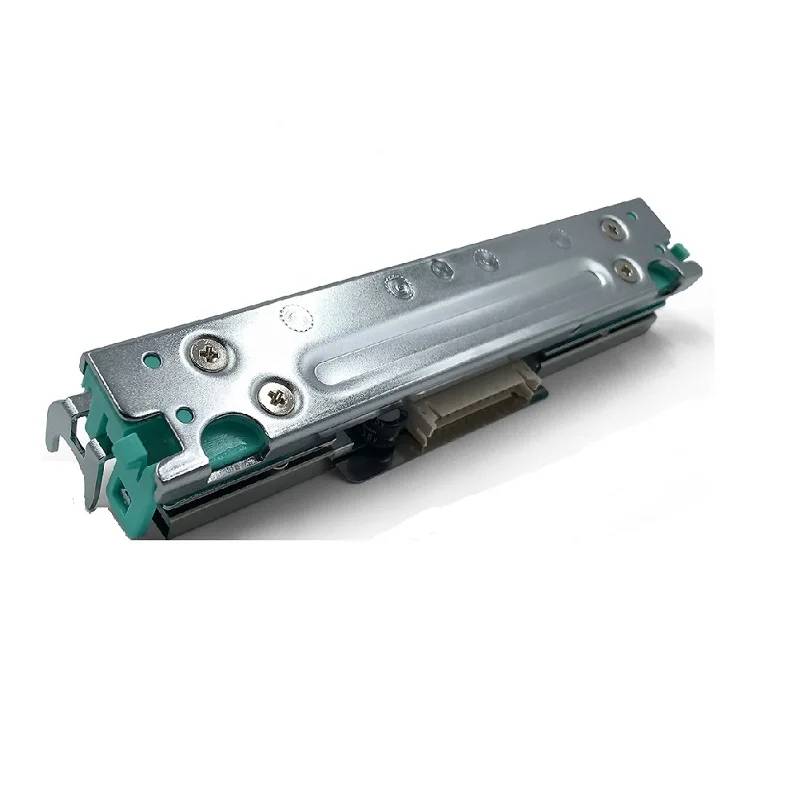
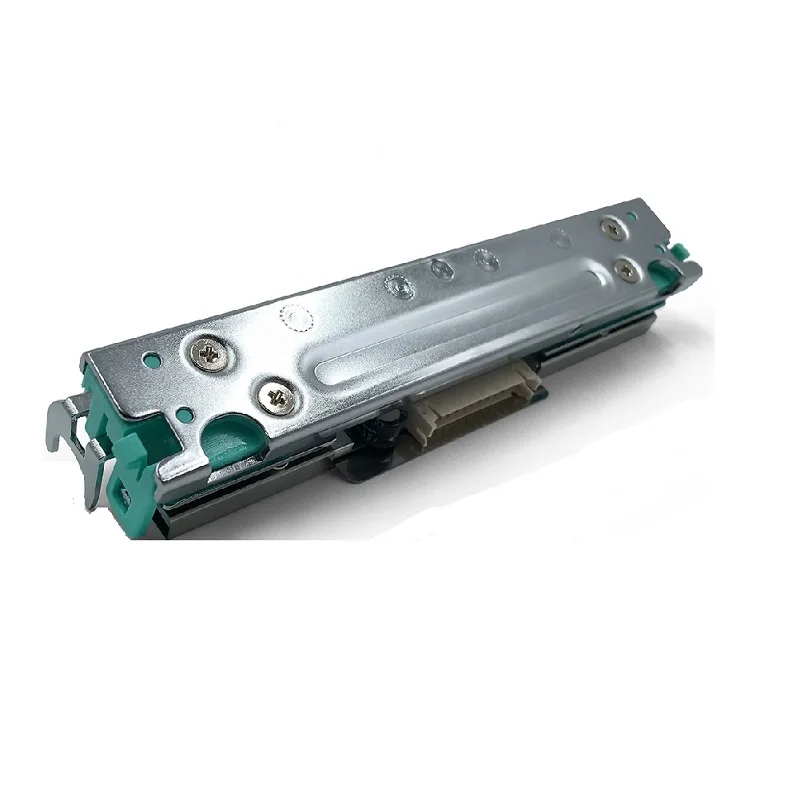
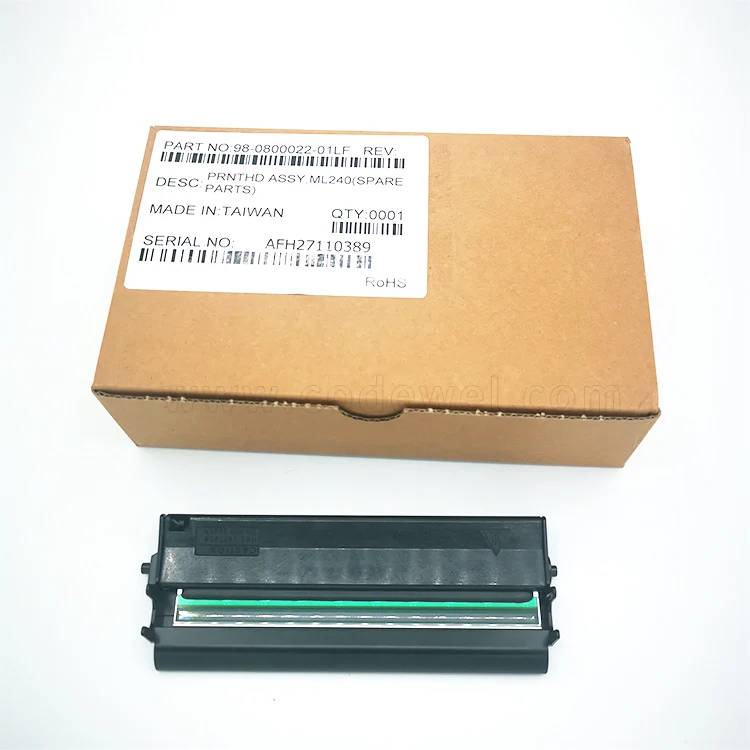
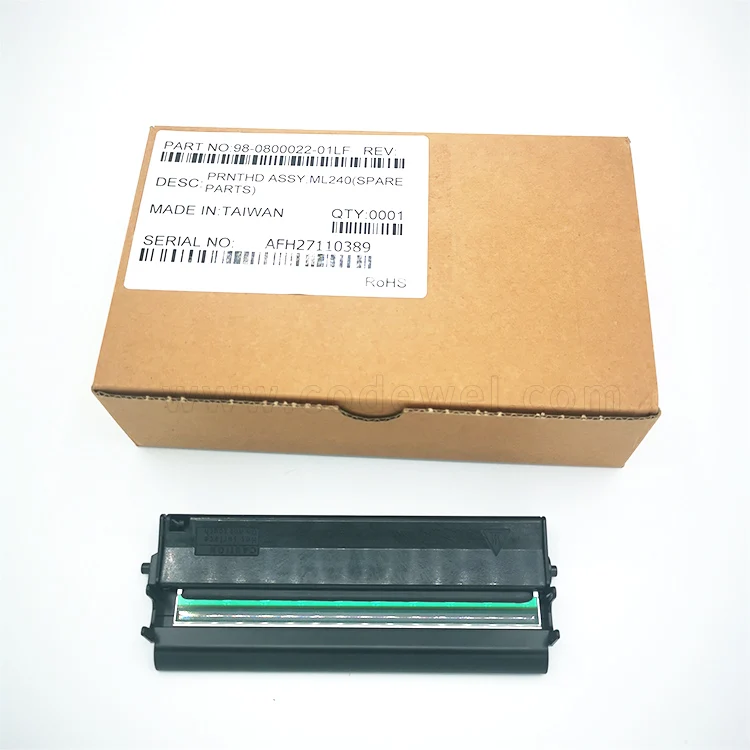
프린트헤드
|
|
모델
|
MX240
|
|
DPI
|
203dpi
|
|
원본/호환 가능
|
원본
|
|
보증
|
3개월 또는 30km
|