
What Should a Barcode Printing Solution for Warehouse Operations Actually Solve?
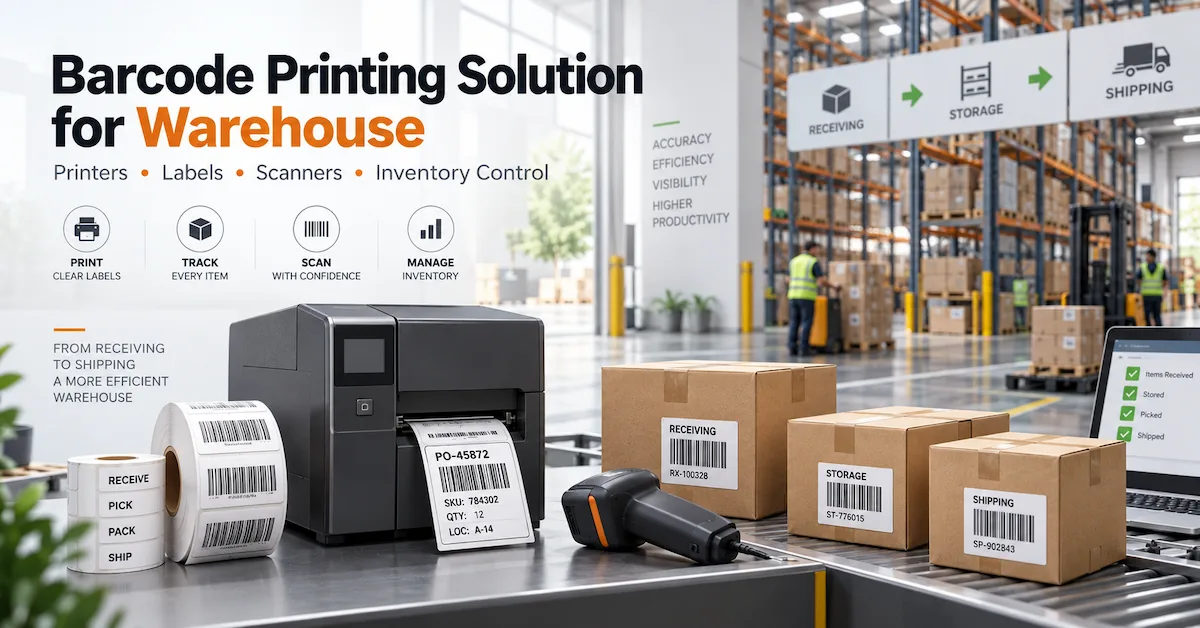
A barcode printing solution for warehouse operations should do more than print a readable barcode. It should support a repeatable identification process from receiving and put-away through replenishment, picking, packing, shipping, cycle counting, and inventory checks. The printing layer therefore needs to connect several elements: a suitable barcode printer, the correct label material, thermal-transfer ribbon or direct-thermal media, a printhead and maintenance plan, barcode scanners or mobile terminals, and the warehouse’s own data or WMS workflow.
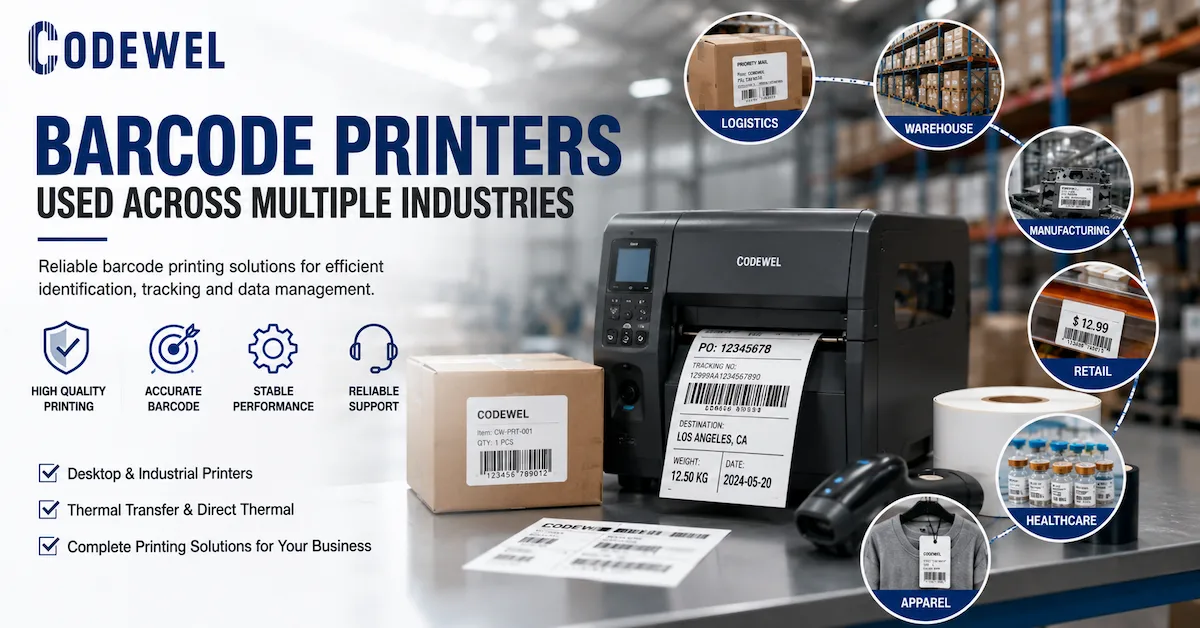
CODEWEL’s current portfolio covers barcode printers, thermal transfer ribbons, printing consumables, printheads, printer spare parts, and barcode scanners. Its product navigation also includes PDA equipment. This makes the portfolio relevant to the physical printing and data-capture side of warehouse identification, but buyers should separately confirm software, WMS, API, middleware, and integration responsibilities for their individual project.
Which Warehouse Buyers Need a More Structured Barcode Printing System?
This approach is relevant to third-party logistics providers, distribution centers, e-commerce fulfillment warehouses, manufacturers with internal logistics, spare-parts warehouses, importers, retail distribution operations, cold-storage facilities, system integrators, and businesses replacing manually written or inconsistent labels.
The requirements change according to workflow. A small stockroom printing a few hundred indoor location labels does not have the same problem as a fulfillment center printing thousands of shipping labels during peak periods. A manufacturer may need work-in-process and pallet identification, while a 3PL may need flexible label templates for different customers. The correct question is therefore not “Which barcode printer is best?” but “What combination can reliably produce and capture the labels required by our actual warehouse workflow?”
Map the Warehouse Workflow Before Selecting Equipment
A good warehouse project begins by mapping when a barcode is created, printed, applied, scanned, updated, and eventually retired. This prevents buyers from purchasing a printer first and discovering later that label size, scanning distance, environment, or software requirements were never defined.
| Warehouse Stage | Typical Identification Task | Main Printing / Scanning Requirement |
|---|---|---|
| Receiving | Inbound carton, pallet, supplier or internal ID | Fast label creation and reliable first scan |
| Put-away | Location and pallet identification | Clear location labels and durable inventory IDs |
| Storage | Rack, bin, tote and asset identification | Long-term readability appropriate to the environment |
| Replenishment | Move stock between locations | Fast scanning and accurate item/location matching |
| Picking | Item, tote, batch or order confirmation | Easy-to-read codes and practical scanner workflow |
| Packing | Shipping and order labels | Consistent output and correct variable data |
| Dispatch | Carton, pallet and carrier labels | High-volume print reliability and scan readability |
| Cycle counting | Inventory verification | Reliable barcode capture and consistent label identity |
Before requesting equipment quotations, document the expected daily label volume, peak-hour volume, label dimensions, barcode format, smallest text, printing location, environmental conditions, operator workflow, connectivity, and replacement-consumable requirements.
Direct Thermal or Thermal Transfer: Choose by Label Life
One of the first technical decisions in a barcode printing solution for warehouse environments is whether the label should use direct thermal or thermal transfer printing. Direct thermal printing does not require a ribbon and can simplify short-life labeling applications. Thermal transfer uses a ribbon and is normally evaluated where longer service life, broader media choices, or additional durability is needed.
CODEWEL’s own barcode printing guidance distinguishes these two methods and notes that thermal-transfer systems include the printer, ribbon, label media, printhead, and related components.
For example, a short-lived outbound shipping label may have different requirements from a rack-location label expected to remain readable through repeated handling. Do not choose one printing method for the entire warehouse only to simplify purchasing. Classify the label by expected life and environment first.
Select the Printer According to Workload, Not Maximum Speed
Warehouse printer selection should be based on actual workload. CODEWEL’s current printer range includes categories for Zebra, TSC, CODEWEL, POS, and TTO printers. Its barcode-printing guidance differentiates desktop printers for low-to-medium volume from industrial printers for continuous, multiple-shift, high-volume work.
A desktop printer can be appropriate at a small receiving station or low-volume packing bench. An industrial printer becomes more relevant when the warehouse runs multiple shifts, uses larger media rolls, prints continuously, or cannot tolerate frequent consumable changes.
A useful printer RFQ should include:
| Printer Requirement | Warehouse Question |
|---|---|
| Daily print volume | How many labels are printed per day and during peak periods? |
| Duty pattern | Is printing occasional, batch-based, or continuous? |
| Resolution | Are standard shipping labels sufficient at 203 dpi, or is smaller text/detail required? |
| Print width | What is the maximum actual label width? |
| Connectivity | USB, Ethernet, serial, Wi-Fi or another interface? |
| Media capacity | What label-roll and ribbon dimensions should the printer accept? |
| Environment | Dust, temperature, humidity, vibration or cleaning exposure? |
| Installation | Desktop bench, packing station, industrial line or mobile cart? |
| Maintenance | Who cleans the printer and replaces wear parts? |
A faster printer is not automatically a better warehouse printer. Throughput matters only if the label remains readable and the printer can sustain the actual operating pattern.
203 DPI or 300 DPI: Match Resolution to Label Design
For many standard warehouse and shipping labels, 203 dpi can provide sufficient resolution. CODEWEL’s thermal-printing guidance identifies 203 dpi as commonly suitable for warehouse labels, while 300 dpi can be considered where the design includes smaller text, more information, smaller codes, or greater graphic detail.
Do not choose 300 dpi simply because the number is higher. Higher resolution can affect printer configuration, replacement printhead selection, and operating decisions. Print an actual label design during qualification and check the smallest required text and barcode rather than approving the printer from a generic demonstration label.
Match the Ribbon to the Warehouse Label Material
Thermal-transfer ribbon selection is one of the largest recurring-cost decisions in a warehouse printing system. CODEWEL’s barcode ribbon range includes wax, wax-resin, resin, TTO near-edge, and wash-care product families. For conventional warehouse labeling, wax and wax-resin are generally more relevant starting points than highly specialized TTO or wash-care products.
CODEWEL’s existing ribbon guidance identifies wax ribbon as a common choice for shipping, inventory, carton, and warehouse labels, particularly on paper-based materials where cost and print speed are priorities. Wax-resin is positioned as a step toward improved handling resistance and can be considered for warehouse, waybill, coated-label, and general logistics applications.
| Ribbon Direction | Suitable Starting Scenario | Main Buyer Question |
|---|---|---|
| Something | Standard paper shipping, inventory and carton labels | Is basic indoor durability sufficient? |
| Resin Wax | Coated labels or labels receiving more handling | Does the extra durability justify the cost? |
| Resin | Synthetic labels or demanding asset identification | Is high resistance actually required? |
| Direct Thermal | Short-life labels where no ribbon is desired | Will the label remain readable for the necessary period? |
The table is a selection starting point, not a universal approval. Test the actual printer, label and ribbon combination before standardizing it.
Warehouse Label Material Can Matter More Than the Ribbon Upgrade
A common purchasing mistake is trying to solve every durability problem by moving from wax to wax-resin or resin. The label itself has a face material, adhesive, liner, surface properties, and environmental limits. If the label lifts from a dusty carton or fails to adhere at low temperature, changing ribbon formulation alone will not correct the adhesive problem.
CODEWEL’s printing-consumables portfolio includes self-adhesive labels and label jumbo rolls. The public category information does not currently provide a complete specification for every warehouse-label construction, so buyers should confirm the actual face stock, adhesive, liner, dimensions, roll direction, core, application temperature, and service conditions during quotation.
Barcode Scanners Complete the Print-and-Capture Loop
Printing a barcode is useful only if the warehouse can capture it reliably at the required process step. CODEWEL currently organizes its barcode scanner category into 1D and 2D scanner families. The public 1D category page confirms the category structure but does not currently provide enough product-level specifications to recommend one exact scanner for every warehouse application.
Buyers should define the scanner requirement separately from the printer specification. Useful fields include barcode symbology, label size, scanning distance, whether codes are printed on paper or displayed on screens, wired or wireless requirements, workstation or mobile use, operating environment, and expected integration interface.
Do not assume that “2D” automatically means the best device for every warehouse. Use the code formats and actual workflow to define the requirement, then confirm the selected model’s capabilities.
Where Does PDA Equipment Fit in the Warehouse Workflow?
CODEWEL’s product navigation includes PDA under its Machine category, which makes handheld data-capture equipment relevant to the broader warehouse workflow. However, the current public product-category information does not establish a complete specification for warehouse software, WMS integration, mobile operating systems, wireless roaming, or device-management functions.
For that reason, treat the PDA as a separate integration project. Before purchasing, define required barcode types, Wi-Fi or mobile connectivity, battery duration, operating system, application software, keyboard/touch workflow, drop resistance if relevant, and the interfaces required by your WMS or ERP. CODEWEL can be evaluated for the hardware products it publishes, while software responsibility should be documented separately.
Build One Technical Specification for the Complete Warehouse Printing Station
A fragmented RFQ often produces fragmented results. Instead of requesting printers, labels, ribbons and scanners from separate spreadsheets, build one station-level specification.
| System Component | Specification to Confirm |
|---|---|
| Barcode printer | Model, DPI, width, interfaces, duty cycle |
| Label | Size, material, adhesive, core, roll direction |
| Ribbon | Wax/wax-resin/resin, width, length, core, IN/OUT |
| Printhead | Printer model, DPI, part number where applicable |
| Scanner | 1D/2D requirement, interface, scanning environment |
| PDA | Data-capture and software/interface requirements |
| Spare parts | Printhead, platen roller and other maintenance items |
| Software/data | WMS/ERP source, label template, printer driver, data interface |
| Verification | Barcode readability acceptance and test procedure |
| Replenishment | Monthly usage, safety stock and reorder process |
This table should become the controlled specification behind the warehouse project. When a component changes, the team can evaluate whether the change affects only that component or requires retesting the complete printing combination.
Do Not Ignore the Printhead in a High-Volume Warehouse
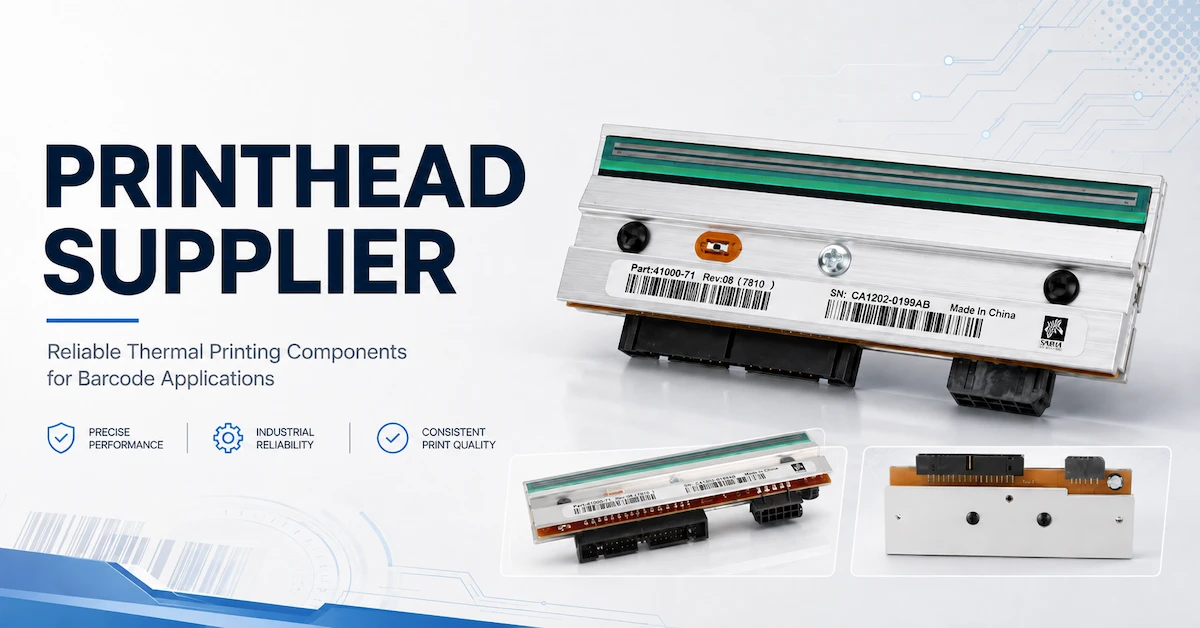
The printhead directly influences printed definition and is also a wear component. CODEWEL’s printhead portfolio includes categories for Zebra, TSC, Datamax, SATO, Honeywell Intermec, Citizen, Argox and other printer families.
Warehouse maintenance teams should record the exact printer, DPI and applicable part number rather than ordering a generic head by brand. Repeated white lines, missing barcode elements and uneven density can be reasons for further printhead inspection, but cleaning, ribbon, labels, platen condition and printer settings should also be checked before replacing the head. CODEWEL’s current printing-supplies guide makes the same point: the printhead should be considered as one part of the overall printing system.
Plan Spare Parts Around Downtime Risk
A warehouse running one printer for non-critical internal labels can tolerate a different spare-parts strategy from a shipping operation whose dispatch stops when a printer fails. CODEWEL lists main boards and platen rollers under printer spare parts in addition to its printhead range.
For critical print stations, maintenance planning can include an approved spare printhead, platen roller where appropriate, cleaning supplies specified for the printer, consumable safety stock, and a replacement printer or contingency workflow where downtime would directly stop outbound operations. The exact spare level should be based on operational risk rather than a generic percentage.
Quality Control Should Measure the Output the Warehouse Needs
A barcode-printing QC plan should be tied to a real label specification. Visual darkness alone is not sufficient. At minimum, inspect whether text is complete, barcode elements are clearly formed, the image is positioned correctly, the label adheres as expected, and the code can be captured reliably under the warehouse’s normal scanning process.
For a new printer/ribbon/label combination, test representative labels before rolling the change across the warehouse. Record the printer, DPI, ribbon, label, settings, and acceptance result. If a later shipment produces a different result, the team has an approved baseline for troubleshooting instead of relying on memory.
For applications requiring formal barcode verification, define that requirement separately from ordinary scanner testing. A normal scanner reading a code does not by itself establish every aspect of barcode quality.
Compare Warehouse Solutions by Workflow Rather Than by One Product
A useful comparison should evaluate the complete task.
| Warehouse Scenario | Printer Direction | Media Direction | Capture Direction | Main Risk to Control |
|---|---|---|---|---|
| Small stockroom | Desktop printer | Paper label; direct thermal or wax TTR depending life | 1D/2D scanner as required | Overbuying industrial equipment |
| E-commerce packing | Desktop or higher-duty printer based on peak volume | High-volume shipping label | Scanner at packing/dispatch | Peak-hour bottlenecks |
| Large distribution center | Industrial printer at high-volume stations | Thermal-transfer or direct-thermal by label life | Fixed/mobile scanning workflow | Downtime and consumable replenishment |
| Rack/location labeling | Printer suitable for larger or durable labels | Material selected for service life and surface | Mobile scanning | Label adhesion and long-term readability |
| Manufacturing warehouse | Industrial/desktop mix by station | Wax-resin or resin where durability justifies it | Scanner/PDA | Traceability and inconsistent SKUs |
| Cold or demanding environment | Equipment/media validated for actual conditions | Application-specific label construction | Mobile capture device suitable for environment | Adhesive and equipment-environment mismatch |
These are design directions rather than CODEWEL model guarantees. The final configuration should be tested under the warehouse’s operating conditions.
Warehouse Printing Cost Is More Than Printer Price
A cheaper printer or ribbon can become expensive when the system produces unusable labels or interrupts operations. Compare:
Total warehouse printing cost = equipment + labels + ribbon + printheads/spares + labor + rejected labels + changeover time + maintenance + downtime
Consumables can become a significant long-term cost because they are purchased repeatedly. The right way to evaluate them is not only cost per roll but cost per accepted label. A ribbon that is slightly more expensive may be economical if it reduces rejected labels; a premium ribbon is wasteful if a less expensive formulation already passes the warehouse requirement.
The same principle applies to printers. Buying an industrial unit for a low-volume station may add unnecessary capital cost, while putting a light-duty desktop unit into a continuous multi-shift workload may increase maintenance and replacement risk.
Replenishment Planning Should Follow Actual Consumption
Once the station is approved, record standard SKUs for labels, ribbons, printheads and other spares. Forecast by station or printer group rather than only at company level. Seasonal e-commerce operations should use peak consumption rather than annual average usage when planning critical consumables.
CODEWEL states that its ribbon manufacturing operation includes more than ten coating and cutting lines, more than 6,000 m² of production space, and annual output exceeding 100 million square meters. These company-level figures indicate ribbon manufacturing scale but do not guarantee stock or lead time for an individual warehouse configuration. Buyers should obtain order-specific availability and replenishment terms for each approved SKU.
When Does Customization Make Sense for a Warehouse Project?
Customization should solve a specific operational or commercial requirement. Ribbon width and length can be optimized for the printer; labels may require a defined size or roll direction; distributors may require private-label identification; warehouse groups may use their own internal SKU and packaging system.
However, customization should not create unnecessary inventory. A warehouse operating many printers can reduce purchasing complexity by standardizing compatible dimensions and approved consumables where technically possible. Standardization should follow compatibility—not override it.
CODEWEL’s existing ribbon content describes customized width, length, core, ink side, packaging and private-label requirements within its thermal-transfer ribbon business.
A Practical Warehouse Barcode Printing Implementation Workflow
For a new barcode printing solution for warehouse operations, a controlled implementation can follow this sequence: map receiving, storage, picking, packing and shipping tasks; define label life and environmental conditions; decide between direct thermal and thermal transfer; choose printer class and DPI; define the label; select and test the ribbon where required; define scanner/PDA requirements; confirm WMS/data responsibilities; test the complete workflow at one station; record approved settings and SKUs; train operators and maintenance personnel; then scale to additional stations.
Do not change the printer, label, ribbon and software template simultaneously during troubleshooting. When several variables change at once, it becomes difficult to identify which change caused a barcode or workflow problem.
What Should You Send When Requesting a Warehouse Barcode Printing Solution?
A useful inquiry should contain the warehouse type, workflow, expected daily and peak label volume, existing printer models, label dimensions, barcode type, label material, required label life, environmental conditions, current ribbon or direct-thermal media, scanner requirement, connectivity, number of stations, shift pattern, destination, and expected consumable volumes.
CODEWEL buyers can first review the complete product range, barcode printers, ribbons, and barcode scanners, then contact CODEWEL with the application details required for a hardware and consumables evaluation.
Frequently Asked Questions
1. What Equipment Is Needed for a Barcode Printing Solution for Warehouse Operations?
A typical physical setup can include a barcode printer, labels, thermal-transfer ribbon when required, a printhead and spare-parts plan, barcode scanner or PDA, and the computer or data source that generates the label. The exact combination depends on workflow and whether the warehouse uses direct thermal or thermal transfer printing.
2. Should a Warehouse Use Direct Thermal or Thermal Transfer Labels?
Choose by required label life and environment. Direct thermal can simplify short-life labeling because no ribbon is needed. Thermal transfer is generally evaluated when longer-lasting print or broader media options are required. Test the final media under actual warehouse conditions.
3. Is 203 DPI Enough for Warehouse Barcode Labels?
For many ordinary shipping, carton and inventory labels, 203 dpi can be sufficient. CODEWEL’s current thermal-printing guidance identifies 203 dpi as commonly suitable for warehouse labels. Consider 300 dpi when label size, small text, barcode density or detail makes the additional resolution useful.
4. Which Thermal Transfer Ribbon Is Suitable for Warehouse Labels?
Wax is a common starting point for standard paper shipping and inventory labels. Wax-resin may be appropriate where coated media or additional handling resistance is required. Do not move to resin automatically unless the label material and environment justify it.
5. Should Large Warehouses Use Industrial Barcode Printers?
Industrial printers are more relevant when the operation involves continuous printing, high daily volume, multiple shifts or large media rolls. Smaller stations may be better served by desktop equipment. Define actual and peak workload before choosing the printer class.
6. Do I Need a 1D or 2D Barcode Scanner?
Choose according to the symbols and workflow the warehouse actually uses. CODEWEL lists both 1D and 2D barcode scanner categories, but model-specific scan distance, interfaces and environmental performance should be confirmed before purchase.
7. Can CODEWEL Provide the Complete WMS Software?
The verified CODEWEL website currently shows printers, ribbons, labels/consumables, printheads, printer parts, scanners and related equipment. The available pages reviewed here do not establish a complete WMS software platform, so buyers should define their software and integration requirements separately and confirm project responsibility before ordering hardware.
8. How Can We Reduce Barcode Printer Downtime?
Use equipment appropriate to the actual duty cycle, maintain approved consumable specifications, clean the printer according to its requirements, keep critical spares based on operational risk, and document printer settings. For critical outbound stations, consider a backup workflow rather than relying on one printer.
9. How Should We Test a New Warehouse Label and Ribbon?
Use the actual printer, normal settings, representative barcode and text, intended label surface, and realistic handling conditions. Record the printer, label, ribbon and result. If the label must remain readable for months, test its service conditions rather than approving it from one fresh print.
10. How Should a Buyer Request a Warehouse Barcode Printing Quote?
Send the workflow, number of stations, printer requirements, daily/peak label volume, label dimensions, barcode types, media requirements, environment, scanner/PDA needs, expected consumable quantities and destination. This gives the supplier enough information to evaluate a system instead of quoting disconnected products.
Conclusion
A reliable barcode printing solution for warehouse operations should be designed around the complete identification workflow—not around one printer specification. Start with receiving, storage, picking, packing and shipping requirements; define label life and environment; then match the printer, DPI, label construction, ribbon, printhead, scanner and mobile data-capture requirements to those conditions. Standardize approved SKUs where possible, test the complete combination under real warehouse conditions, and separate hardware purchasing from WMS/software responsibilities that have not been confirmed. CODEWEL’s current portfolio covers barcode printers, thermal transfer ribbons, printing consumables, printheads, printer spare parts, and barcode scanners. For a warehouse project, contact CODEWEL with your workflow, printer requirements, label specification, volume, scanning needs, and operating conditions so the physical printing solution can be evaluated against the actual application.