
Compatible vs Original Printhead: What Is the Short Answer?
The right purchasing question is therefore not “Is original always better?” or “Is compatible always cheaper?” It is:
Which identified replacement option creates an acceptable combination of technical fit, operating risk, total cost, support, and supply continuity for this printer?
A professional compatible printhead supplier should make that decision easier by clearly stating product status, printer model, resolution, applicable part reference, warranty terms, and the information required before an order is approved.
CODEWEL's printhead product range includes both original and compatible product listings across multiple printer families. That makes product status an important purchasing field rather than something a buyer should infer from a photo or a broad category name.
| Buyer Situation | Original Printhead | Compatible Printhead |
|---|---|---|
| Customer contract requires original parts | Usually the appropriate option | Do not substitute unless formally approved |
| Distributor wants two price tiers | Can serve original-only buyers | Can serve buyers accepting qualified alternatives |
| Large printer fleet with recurring replacements | Useful approved baseline | Worth evaluating where allowed |
| High downtime cost | May simplify risk if already approved | Should be validated before urgent deployment |
| Printer configuration is uncertain | Do not order yet | Do not order yet |
| Repair shop can test replacements | Useful for original quotation | Suitable for controlled evaluation |
1. Original and Compatible Are Product Statuses, Not Quality Grades
One of the most common mistakes in printhead procurement is treating “original” and “compatible” as automatic performance rankings.
They are first of all descriptions of product status.
What Is an Original Printhead?
An original printhead is sold as the original component for the specified printer or part reference. For a buyer, that identity can matter because the end customer's maintenance procedure, equipment agreement, internal parts list, or resale requirement may specify an original component.
CODEWEL's 105SL / 105SL Plus original printhead listing, for example, separates several configurations rather than treating “105SL printhead” as a single item.
| Printer Variant | Resolution | Published Part Number |
|---|---|---|
| 105SL | 203 dpi | G32432-1M |
| 105SL | 300 dpi | G32433M |
| 105SL Plus | 203 dpi | P1053360-018 |
| 105SL Plus | 300 dpi | P1053360-019 |
This is an important reminder: even after a buyer decides to purchase an original printhead, the exact printer configuration still has to be identified.
What Is a Compatible Printhead?
A compatible printhead is an alternative replacement intended for use with a specified printer configuration but is not being sold as the original component.
That distinction should appear clearly in the RFQ, supplier quotation, purchase order, warehouse record, and customer-facing description where relevant.
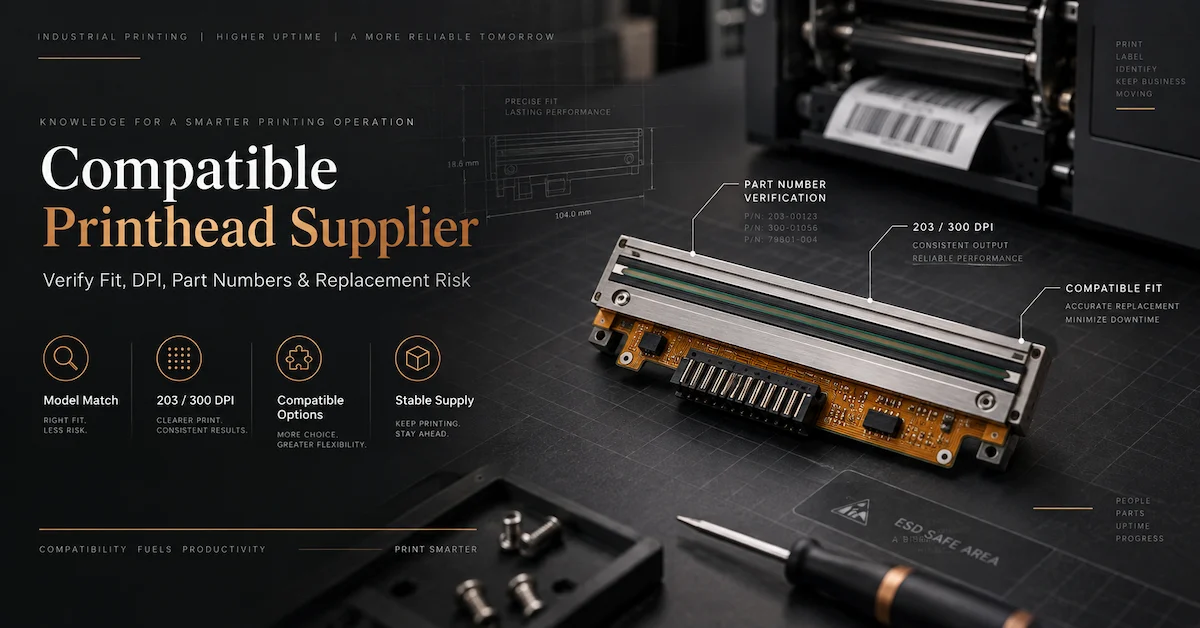
For example, CODEWEL's TTP-343 / TTP-343C / TTP-345 / TTP-343 Plus listing identifies the product as New Compatible and publishes a 300 dpi specification for the listed variants.
Calling both products simply “replacement printheads” may be convenient internally, but it removes information that can matter commercially.
A distributor should know whether it is selling an original component or a compatible replacement. An industrial maintenance team should know which type was approved. A repair shop should know which option the customer authorized.
2. Start With the Buyer's Requirement, Not the Supplier's Price
The fastest way to make the wrong decision is to compare quotations before deciding what product status is acceptable.
A buyer may spend time comparing a $120 compatible option with a $220 original option, only to discover later that the customer contract requires an original component. In that case, the first comparison was irrelevant.
Before requesting a quote, answer three questions.
Does the Customer Require an Original Component?
If yes, state that requirement in the RFQ.
Do not assume that “replacement” means the supplier will automatically quote an original product. A supplier may carry both original and compatible items.
Are Compatible Alternatives Allowed?
If yes, decide whether you want:
- compatible only;
- original only;
- or both options quoted separately.
For many distributors and repair companies, the third option is the most commercially useful because it allows the end customer to compare the two routes transparently.
Who Has Authority to Approve an Alternative?
In a factory, this may be maintenance, engineering, quality, or procurement. In a repair company, it may be the customer. In a distribution business, product management may approve a compatible SKU before the sales team is allowed to offer it.
Define that responsibility before the first bulk order.
3. When Does an Original Printhead Make More Sense?
An original printhead often makes sense when reducing procurement ambiguity is more valuable than building another supply option.
The End Customer Explicitly Requests Original
This is the simplest case. If original status is part of the specification, a compatible product should not be substituted without approval.
For distributors, this is also a customer-trust issue. Selling a compatible component under an ambiguous original-product description can create disputes even when the replacement physically fits the printer.
An Approved-Parts System Is Already in Place
Some factories maintain controlled spare-parts lists. If the original component is already approved and replacement demand is very low, qualifying an alternative may offer little practical benefit.
A buyer replacing one head every several years may reach a very different conclusion from a service business replacing dozens every month.
The Cost of Qualification Exceeds the Potential Saving
Compatible printheads require evaluation when they are introduced into a controlled sourcing system. That process can involve technician time, test materials, print inspection, documentation, and internal approval.
If the expected purchasing volume is tiny, the economics may not justify developing another source.
Downtime Risk Is High and No Trial Window Exists
An emergency machine failure is a poor time to begin qualifying an unfamiliar replacement.
If a printer supports an essential production or shipping process and there is no backup equipment, a previously approved part may be more valuable than a theoretically cheaper alternative that has not yet been tested.
4. When Should a Compatible Printhead Be Evaluated?
A compatible option becomes more interesting when the buyer has recurring demand and enough control to qualify a second sourcing route.
High or Recurring Replacement Volume
A barcode equipment distributor, maintenance provider, or company running many printers can accumulate substantial annual replacement costs.
In this environment, even a moderate difference in acquisition cost can justify evaluating a compatible option—provided the candidate is correctly identified and performs acceptably.
Customers Want Multiple Price Options
Not every buyer has the same purchasing policy.
One customer may insist on an original product. Another may ask for a compatible alternative because the printer is older, the repair budget is limited, or the equipment is outside a restricted maintenance program.
A distributor able to quote both options can address more buying situations without misrepresenting product status.
The Business Wants a Second Source
Supply continuity matters when the same replacement is purchased repeatedly.
If a regularly used original component becomes difficult to source, a compatible product that was qualified earlier may provide a useful alternative. Qualification should ideally happen before a shortage or urgent breakdown creates pressure to skip normal controls.
The Buyer Has a Controlled Test Environment
Repair companies and technical distributors often have an advantage here. They may have technicians, test printers, normal label stock, ribbons, and repeatable print files available.
That makes it easier to evaluate a candidate before deciding whether it belongs in regular inventory.
Compare Available Printhead Options
Review CODEWEL's printhead categories before building an RFQ. Confirm the exact printer, DPI, product status, and part reference for the model you need.
Browse Printhead Range5. Purchase Price Is Not the Same as Replacement Cost
A compatible printhead may have a lower quotation than an original part, but acquisition cost is only one part of the buying decision.
For B2B procurement, a more useful comparison is total expected replacement cost.
Total replacement cost = product price + freight + installation + validation + downtime + rework + claim handling + return or replacement logistics.
The formula is not intended to produce a perfect prediction. It is a way to prevent hidden operating costs from disappearing behind a low unit price.
An Illustrative Example
Assume a buyer receives two quotations. These numbers are illustrative only and are not CODEWEL prices.
| Cost Item | Original Option | Compatible Option |
|---|---|---|
| Purchase price | $220 | $135 |
| Installation and setup | $20 | $25 |
| Initial validation | $5 | $20 |
| Expected downtime allowance | $15 | $25 |
| Claim/return allowance | $5 | $10 |
| Illustrative total | $265 | $215 |
In this example, the compatible option remains less expensive, but the original $85 difference in unit price becomes a $50 difference after additional costs are included.
Another company may calculate a completely different result.
If printer downtime stops a packaging line, the downtime allowance may dominate the calculation. If the buyer has spare printers and an experienced maintenance team, qualification may cost relatively little.
The correct comparison uses your own maintenance and purchasing data rather than a generic claim that one category is always more economical.
6. Compare Four Types of Risk, Not Just Technical Fit
Technical compatibility is essential, but it is only one layer of the decision.
Compatibility Risk
The candidate must correspond to the actual printer configuration. Printer model, DPI, part number, connection, mounting, and generation may matter.
For Zebra-specific model verification, CODEWEL has a separate Zebra compatible printhead guide covering model, DPI, part numbers, and QC considerations. Keeping those detailed technical checks in a model-specific guide prevents this page from becoming another duplicate compatibility checklist.
Operational Risk
Ask what happens if the replacement does not perform as expected.
Can the printer be taken offline for testing? Is a spare available? Does the machine support a critical warehouse, manufacturing, or packaging process? How quickly can a technician install another part?
Commercial Risk
A distributor has to manage more than machine performance.
Incorrect product status, incomplete warranty terms, poor SKU identification, or ambiguous resale descriptions can lead to customer disputes and return costs.
Supply Risk
A successful one-time purchase does not automatically create a reliable repeat-order source.
For a recurring SKU, the buyer should know whether future orders can reference the same product identity, what happens if the item changes, and how availability will be confirmed.
7. Compare Original and Compatible Quotations Using the Same Fields
Price comparisons fail when quotations contain different levels of technical detail.
One supplier may quote a part number. Another may quote only a model family. One may state “Original,” while another simply says “replacement.” These are not yet equivalent offers.
Normalize both quotations before deciding.
| RFQ Field | Original Option | Compatible Option |
|---|---|---|
| Printer brand | Required | Required |
| Exact printer model | Required | Required |
| DPI | Required | Required |
| Part/reference number | Confirm where available | Confirm supplier/OEM cross-reference where available |
| Product status | Original | Compatible |
| Condition | Confirm | Confirm |
| Warranty | Exact SKU terms | Exact SKU terms |
| Availability | Confirm by model | Confirm by model |
| Return/claim process | Confirm | Confirm |
Once both options contain the same fields, procurement can compare like with like.
8. Warranty Must Be Checked by Exact SKU
One of the most useful lessons from CODEWEL's current printhead pages is that warranty terms should not be generalized across the catalog.
The compatible ZD220 / ZD230 / GC420T / TLP2844 / GK888 printhead listing currently identifies the product as New Compatible, 203 dpi, with a published warranty of 5 months or 50 km.
CODEWEL's current original MX240 listing, by comparison, publishes product-specific terms rather than sharing one universal printhead warranty.
The practical procurement rule is simple:
Never copy one product's warranty onto another SKU.
What Should a Buyer Confirm?
- the applicable period or usage limit;
- which condition ends the warranty;
- what exclusions apply;
- what photos, print samples, or other evidence are required;
- how a claim is reviewed;
- what remedy applies after approval;
- who is responsible for return or replacement freight.
Warranty is also not a substitute for product validation.
A longer warranty does not automatically prove better print performance. It is one commercial factor in the sourcing decision.
9. Test a Compatible Printhead as an Application, Not as a Photograph
Buyers sometimes approve a compatible printhead because the sample looks similar to the removed original part.
Visual similarity is not enough.
If the order volume justifies testing, the candidate should be evaluated in the intended printer using representative operating conditions.
Keep Other Variables Stable
During the comparison, use the same:
- printer;
- label or media;
- thermal transfer ribbon where applicable;
- print file;
- relevant print settings;
- inspection method.
Changing the printhead, ribbon, label stock, and darkness setting at the same time makes it difficult to identify the cause of any difference.
If consumable matching is part of the project, buyers can also review CODEWEL's thermal transfer ribbon range separately.
Use Representative Print Content
A large word printed in the center of a label is a weak acceptance test.
Use the type of content the printer actually produces: narrow barcode elements, small text, graphics, edge-to-edge content where relevant, and the normal label width.
Retain the test record if the product is approved for repeat purchase.
10. A Distributor Should Build Two Clear Product Tiers
For a barcode equipment distributor, “original versus compatible” does not need to be a winner-takes-all choice.
A stronger commercial model can be a clearly separated two-tier portfolio.
Tier 1: Original Printhead
Useful for customers who:
- specifically request an original component;
- use an approved original part number;
- follow a restricted maintenance policy;
- want the original product status stated on the quotation.
Tier 2: Qualified Compatible Printhead
Useful for customers who:
- accept alternative replacement products;
- want another sourcing option;
- manage recurring repair expenditure;
- operate older equipment where multiple purchasing routes are valuable.
The key word is qualified.
A distributor should not add a compatible model to regular inventory solely because the supplier's title says it fits a printer family.
Maintain a controlled product record after approval.
| Internal Record | Why It Matters |
|---|---|
| Printer model | Prevents broad brand-level assumptions |
| DPI | Separates resolution variants |
| Part/reference number | Supports identification and repeat orders |
| Original or compatible status | Prevents sales-description errors |
| Supplier SKU | Creates a repeatable purchasing reference |
| Approval result | Shows whether the product was evaluated |
| Warranty terms | Supports accurate quotations |
11. Repair Companies Need a Different Buying Logic
A repair company often faces a damaged printer rather than a planned sourcing project.
The customer may report white lines, missing printed elements, uneven density, or deteriorating print quality and assume the printhead has failed.
That conclusion should not be automatic.
CODEWEL's printhead supplier guide discusses factors such as printer compatibility, ribbon/media matching, resolution, and maintenance when evaluating printhead problems and replacements.
A Better Repair Sequence
- Record the printing symptom.
- Complete appropriate cleaning and inspection.
- Check relevant pressure, platen, ribbon, media, and printer settings.
- Confirm whether printhead replacement is justified.
- Identify the exact required component.
- Ask whether the customer requires original or accepts compatible.
- Quote the correct option or both options.
- Install and verify the approved replacement.
This process helps a repair business avoid selling a printhead when the underlying problem has not been diagnosed.
12. Industrial Buyers Should Create an Approved Replacement Record
A factory or warehouse that operates the same printers every day should treat repeated printhead purchasing as a controlled maintenance process.
Once a compatible product has been accepted, do not rely on “same as last time” as the only specification.
Approved Replacement Record
- Printer: brand, full model, and configuration.
- Resolution: installed DPI.
- Reference: current or original part number where available.
- Approved SKU: supplier product code.
- Status: original or compatible.
- Test conditions: relevant media, ribbon, settings, and print file.
- Acceptance result: approved sample or internal test record.
- Warranty: exact product-specific terms.
- Supplier: contact and quotation reference.
- Revision control: procedure if the supplied product changes.
That record makes future procurement faster and reduces dependence on an individual employee remembering what was approved months earlier.
13. Product Examples: Why Status and Specifications Must Stay Separate
CODEWEL's current catalog provides useful examples of why original and compatible products should be identified SKU by SKU.
TSC TTP-343 Family Compatible Example
The TTP-343 / 343C / 345 / 343 Plus compatible printhead page currently lists:
- 300 dpi;
- New Compatible status;
- a published product reference of 98-0270032-44LF;
- a product-specific published warranty of 5 months or 50 km.
These details belong to that listing. They should not automatically be applied to another compatible model.
Zebra-Family Compatible Example
CODEWEL's ZD220 / ZD230 / GC420T / TLP2844 / GK888 compatible printhead is currently presented as a 203 dpi New Compatible product.
Again, the correct procurement lesson is not “all Zebra-compatible products have this specification.” It is that the product needs an exact model-level identity.
105SL / 105SL Plus Original Example
The original 105SL / 105SL Plus page shows both 203 dpi and 300 dpi alternatives with different part numbers.
This demonstrates another important point: selecting original status does not remove the need for model and DPI verification.
Review a Compatible Product Example
If you are evaluating a TSC TTP-343-family replacement, review the current product page before requesting a model-specific quotation.
View Compatible TSC Printhead14. What Should a Compatible Printhead Supplier Prove Before a Bulk Order?
For a one-piece emergency repair, buyers may make decisions quickly. For dozens or hundreds of units, the sourcing standard should be higher.
A bulk buyer should be able to answer the following questions before approval.
Product Identity
- What exact printer configuration is the product intended for?
- What DPI is being supplied?
- What supplier SKU and part reference identify the item?
- Is the product original or compatible?
Quality Evidence
- What inspection is performed on the quoted SKU?
- What does the supplier mean by “tested”?
- Can the buyer evaluate a trial quantity?
- How is the accepted product identified for repeat ordering?
Commercial Control
- What warranty applies to this exact item?
- What is required for a claim?
- What happens if the product is unavailable later?
- How will a product revision be communicated?
The more units involved, the more valuable this documentation becomes.
15. Do Not Infer Printhead Capacity From Unrelated Factory Data
Another common B2B sourcing mistake is extending company-level production figures to a product category that the public website does not document in the same way.
CODEWEL publicly provides manufacturing information for its thermal transfer ribbon operation, but those figures should not be reused as if they were printhead production capacity.
For printheads, buyers should instead request model-specific information:
- current availability;
- trial quantity;
- quantity available for the required model;
- expected replenishment route;
- inspection time;
- shipping arrangement;
- repeat-order availability.
This produces a more reliable quotation than a generic factory-scale statement.
16. How to Send an RFQ That Produces a Useful Quote
A vague inquiry forces the supplier to guess. A structured RFQ helps both sides move faster.
Instead of writing:
“Please quote Zebra printhead.”
send the following information.
Printhead RFQ Checklist
- Printer brand.
- Complete printer model.
- DPI.
- Existing printhead part number or reference, if visible.
- Original required, compatible acceptable, or quote both.
- Required quantity.
- Expected repeat demand, if known.
- Delivery country.
- Photos of the current head where identification is uncertain.
- Description of the print problem if the request is related to a repair.
- Any required warranty or commercial terms.
For multiple printer models, use a spreadsheet with one row per configuration. Do not combine different resolutions or printer variants under one generic line item.
Need a Model-Specific Printhead Quote?
Send the printer model, DPI, current part reference, quantity, destination, and whether you need an original, compatible, or both options.
Request a Printhead Quote Browse Printhead Products17. Frequently Asked Questions
1. Is a compatible printhead the same as an original printhead?
No. They should be treated as different product statuses. A compatible printhead is an alternative replacement intended for the specified printer configuration, while an original printhead is sold as the original component. Quotations and resale descriptions should state the status clearly.
2. Is an original printhead always better?
Original status does not by itself create a universal performance ranking against every compatible product. It becomes decisive when the customer, service policy, or approved-parts procedure requires an original component. Otherwise, the specific products should be compared under the same technical and commercial criteria.
3. Is a compatible printhead always cheaper?
Do not assume so without comparing actual quotations. Even when acquisition price is lower, total replacement cost can include validation, installation, downtime, rework, warranty handling, and return logistics.
4. Should distributors stock both original and compatible printheads?
For some distributors, a two-tier portfolio is useful because customers have different purchasing requirements. The two statuses should remain clearly separated, and compatible products should be approved at SKU level rather than grouped under broad brand compatibility claims.
5. Can I decide by warranty length?
No. Warranty is an important commercial term, but it does not replace technical identification and application testing. Confirm the warranty for the exact SKU and compare it with the supplier's claim procedure and support terms.
6. When should a factory evaluate a compatible alternative?
A compatible option may be worth evaluating when alternatives are permitted, replacement demand is recurring, the factory can conduct a controlled test, and a second source provides meaningful cost or supply-continuity value.
7. Can a 300 dpi printhead replace a 203 dpi version?
Do not treat DPI as a simple upgrade. The replacement must match the printer's actual supported configuration. CODEWEL's 105SL / 105SL Plus listings, for example, separate 203 dpi and 300 dpi variants with different part numbers.
8. What should I test before approving a compatible printhead?
Use the intended printer, normal media and ribbon where applicable, representative settings, and real label content. Check print consistency, required text and barcode elements, installation behavior, and the criteria relevant to the application.
9. What information should I send a compatible printhead supplier?
Provide the printer brand, exact model, DPI, current part reference where available, required product status, quantity, destination, and clear photos if identification is uncertain. For larger orders, state the expected repeat demand and any required approval process.
10. How should repeat orders be controlled?
Keep an approved record containing the printer model, DPI, part number, supplier SKU, product status, test result, warranty, and relevant packaging information. Future orders should reference that record rather than relying only on “same as previous order.”
Conclusion
Choosing between an original and compatible printhead is ultimately a purchasing-control decision rather than a simple argument about which category is “better.”
An original printhead is usually the logical choice when original status is required by the customer, an approved-parts policy already exists, qualification of an alternative has little economic value, or the buyer cannot safely evaluate another replacement route.
A compatible printhead becomes worth evaluating when a distributor, repair company, or industrial user has recurring replacement demand, needs another price tier, wants a second supply source, or manages enough printers for replacement cost to matter. In those cases, the specific compatible SKU—not the word “compatible” itself—must be assessed.
The strongest B2B process is to separate four questions: What does the printer require? What product status does the customer accept? What operating risk can the application tolerate? What is the total cost of maintaining this replacement over time?
A professional compatible printhead supplier should support that process with accurate product identification, clear original/compatible status, SKU-specific warranty terms, model-level availability, and a repeat-order reference that purchasing teams can control.
CODEWEL currently lists both original and compatible printhead products across multiple printer families. Buyers can review the CODEWEL printhead range, compare relevant model pages, and contact CODEWEL with the printer model, DPI, part number, quantity, destination, and required product status for a model-specific sourcing discussion.