
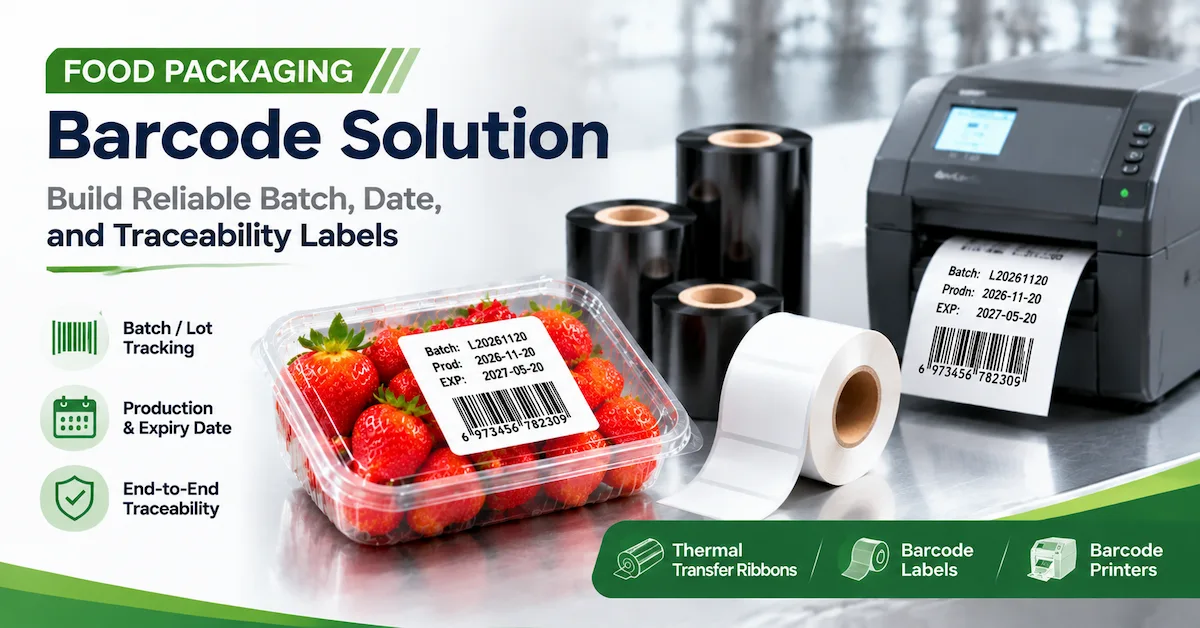
A food packaging barcode solution is not simply a barcode printer or a roll of labels. It is the identification system that lets a food processor, co-packer, warehouse, distributor, or packaging-line integrator connect a product to its batch, date, production line, case, pallet, shipment, and downstream record. When the code is missing, unreadable, duplicated, or attached to the wrong package level, the problem can become a hold, rework, shipment delay, recall investigation, or loss of confidence in the traceability record.
What Does a Food Packaging Barcode Solution Need to Identify?
Before selecting equipment, define the identity relationships that the packaging process must preserve. A single product can have more than one code because a retail unit, inner pack, case, and pallet serve different users and different software records. The barcode solution should make those relationships explicit instead of treating every label as an isolated print job.
| Packaging level | Typical information | Operational question |
|---|---|---|
| Consumer unit | Product identity, lot, date, price or retail data where required. | Will the code remain readable through handling, refrigeration, condensation, or display? |
| Inner pack | Product group, quantity, lot, date, and internal handling data. | Can the operator scan the code without opening or repacking the unit? |
| Case or carton | Case identity, contents, batch, production line, and shipping data. | Can warehouse and distribution systems connect the case to its contents? |
| Pallet | Pallet identity, cases, destination, shipment, and handling status. | Can a scan retrieve the correct aggregation record without manual correction? |
| Production record | Work order, line, shift, ingredient or material lot, date, and operator event. | Can quality teams reconstruct the product history from the printed identity? |
The label or printed code is only one visible part of this structure. The software or database must generate the correct data, the printer must reproduce it, the scanner must capture it, and the process must handle a failed or replaced label without creating two active identities. A strong food packaging barcode solution therefore includes data ownership and exception handling, not only hardware.
Start With the Packaging Process and the Failure Modes
The most reliable selection process starts with how food is packed, handled, stored, and shipped. A dry snack pouch, frozen food carton, chilled dairy pack, metal can, glass jar, and corrugated case may all use barcodes, but the material, moisture, temperature, surface, and handling risks are different.
Map where the code is created
Determine whether the code is printed directly onto flexible film by a TTO or near-edge system, printed onto a separate self-adhesive label, printed onto a carton or case, or applied after packaging. Direct printing can reduce a separate label step, while an applied label may provide more flexibility for warehouse, pallet, or variable-data workflows. The choice depends on the package design, print area, line layout, required information, and downstream handling.
Map where the code is read
List every scan point: line inspection, case packing, warehouse receiving, picking, shipping, distributor handling, retail receiving, or recall investigation. Record scan distance, reader type, package orientation, lighting, speed, and whether the package is inside a clear film, carton, tray, or pallet wrap. A code that scans at a bench may fail when the package is moving or the printed area is curved.
Describe the failure before choosing the product
Common problems include light printing, smearing, condensation, label edge lift, film movement, wrong date data, duplicate serial numbers, poor quiet zones, incorrect carton aggregation, and reprints that are not linked to the original record. Each failure points to a different control. A stronger ribbon may not correct a wrong date template, and a higher-resolution printer may not correct condensation on a cold package.
Choose Between Applied Labels and Direct Package Printing
There are two broad paths for food packaging identification. The first uses a label that is printed separately and applied to the package, case, or pallet. The second prints variable data directly onto packaging material, often with a TTO or near-edge thermal system. Many factories use both because product, case, and logistics information do not always have the same physical or data requirements.
| Approach | Useful starting applications | Buyer should verify |
|---|---|---|
| Self-adhesive label | Case labels, pallet labels, warehouse identity, applied product labels, and variable logistics data. | Face material, adhesive, surface, moisture, cold application, roll format, and dispenser or applicator compatibility. |
| Direct thermal label | Short-life or controlled indoor labels where the media can provide the required image life. | Heat, light, moisture, handling, storage, and the period over which the barcode must remain readable. |
| Thermal transfer label | Labels requiring a wider substrate range or a more durable printed image. | Ribbon type, ink side, dimensions, print energy, speed, material, and abrasion or moisture performance. |
| TTO or near-edge printing | Dates, batch codes, variable text, barcodes, and traceability data printed inline on compatible flexible packaging. | Exact printer, film structure, print area, continuous or intermittent mode, speed, ribbon size, and code readability. |
Codewel's self-adhesive label range and label jumbo roll category are relevant when the project uses converted labels or larger parent rolls. For direct package printing, review the TTO near-edge ribbon category and confirm the printer and packaging film before selecting a ribbon.
Choose Food Packaging Label Materials and Adhesives
Material selection should follow the package surface and the label's expected life. A label on a dry corrugated case may need reliable scan contrast and low waste. A label on a chilled or frozen package may need an adhesive that bonds at a lower application temperature and remains attached during condensation. A label on a reusable plastic crate may need a different removal or durability profile.
Paper for controlled packaging and logistics
Paper can be a practical starting point for dry cartons, cases, warehouse labels, and short or controlled distribution cycles. It may offer efficient thermal printing and a familiar converting format. It is not automatically suitable for condensation, freezer exposure, oil, heavy abrasion, or long outdoor storage. Test the actual coating, adhesive, package surface, and handling conditions.
Synthetic materials for moisture and handling risks
PET, PP, PE, and other synthetic constructions may be considered when tear resistance, moisture resistance, flexibility, or longer image life is required. Synthetic surfaces can also change ribbon transfer and print energy requirements. Select the ribbon and printer together with the material, and test the smallest barcode or text element that production will use.
Adhesive performance in cold and humid environments
Adhesive performance depends on the substrate, surface cleanliness, application temperature, dwell time, pressure, curvature, and storage conditions. Condensation, oil, flour, dust, ice, or release agents can reduce bonding. Record the temperature at application, the time before handling, the time in cold storage, and the acceptance condition for edge lift or release.
Food contact and compliance boundary
Food packaging buyers should identify whether the label, adhesive, ribbon, or printed surface can contact food directly, contact the package exterior only, or be separated by a barrier. The regulatory answer depends on the construction and market. Do not use the phrase food-safe as a substitute for a documented compliance review.
Choose the Printing Method and Ribbon
Thermal printing is common in packaging because it supports variable information without plates or preprinted artwork changes. Direct thermal uses heat-sensitive media and no ribbon. Thermal transfer uses a ribbon to transfer an image to a label or other compatible surface. TTO uses a near-edge thermal system to print variable data directly onto compatible packaging materials.
When direct thermal may fit
Direct thermal may suit short-life labels, controlled indoor logistics, tickets, or applications where the heat-sensitive media can retain the required image for the full distribution period. Test the label after the expected heat, light, moisture, and handling exposure. A lower initial consumable complexity does not remove the need for media qualification.
When thermal transfer may fit
Thermal transfer may be considered when the buyer needs a broader substrate range or a printed image that must resist more demanding handling. Wax, wax-resin, and resin ribbons serve different starting points. The correct grade depends on the label or film, printer, speed, print energy, and the exposure that the code will face.
When TTO is the right conversation
TTO or near-edge printing is relevant when a packaging line needs to print dates, lot numbers, batch data, barcodes, 2D codes, or other variable information directly onto flexible film. Do not substitute a conventional flat-head barcode ribbon merely because width and length appear similar. Confirm the exact TTO printer, core, ink side, film, print mode, speed, and print area.
Codewel's barcode ribbon range covers multiple ribbon families. Its public packaging guidance distinguishes standard barcode ribbons from near-edge or TTO products. Use that range to start a supplier discussion, then request a sample based on the actual film and printer.
Match Printer, Printhead, Scanner, and Data Workflow
A food packaging barcode solution becomes unreliable when the printer, printhead, scanner, and data system are selected as separate purchases. The printer must handle the label or film format and volume. The printhead must match the model and resolution. The scanner must read the code at the real speed and distance. The data system must generate the correct identity and control reprints.
Printer selection questions
Record normal and peak output, label or film width, print resolution, media roll size, speed, connectivity, installation conditions, and changeover frequency. A compact printer may be suitable for a packaging workstation, while a line printer or TTO engine may be required for continuous production. The headline speed is not proof of barcode performance at the required code size.
Printhead selection and maintenance
Printhead contamination or wear can create missing lines, inconsistent density, and barcode defects. Confirm printer brand, exact model, DPI, print width, part number, connector, and physical fit before ordering a replacement. Codewel's printhead collection is a relevant starting category, but exact compatibility must be checked against the installed machine.
Scanner and verification
Use the production scanner, fixed reader, mobile device, or verification method during approval. Test through the actual packaging, under actual lighting, with the real orientation and movement. A visually dark barcode can still fail because of poor bar edges, insufficient quiet zone, distortion, low contrast, or incorrect data.
Data and aggregation control
Define who creates product codes, batch and date fields, serial numbers, case aggregation, pallet aggregation, reprints, and quarantine records. A reprinted label should be linked to the original event or controlled as a replacement. The process should prevent two active labels from representing the same item or case.
For the capture side of the workflow, Codewel's barcode scanner category can support discussion of 1D and 2D reading requirements. The exact reader, interface, distance, and integration remain project-specific.
Design Codes for Batch, Date, and Traceability Data
The code should be designed around the information that food operations actually need. Product identity, lot, production date, expiry or best-before date, line, shift, and serial or case identity may have different data sources and retention needs. The barcode should not be used as a visual substitute for a controlled data model.
Human-readable information
Keep important dates and lot information visible to operators even when a machine-readable code is present. Define the font size, placement, contrast, orientation, and the fields that must remain legible after the package is sealed or wrapped.
1D and 2D code selection
A linear code may suit a simple product or case identity, while a 2D code may carry more data in a smaller area. The choice depends on the receiving system, scanner, data length, module size, print resolution, and available print area. Do not select a symbol only because it stores more characters; verify that the intended scanners can read it at production speed.
Quiet zone, contrast, and placement
Keep the quiet zone clear and protect the printed area from seams, folds, zippers, curved edges, seal lines, and graphics. On flexible packaging, movement or wrinkling can distort a code. On cases, tape, corner crush, or pallet wrap can hide the label. The physical placement is part of the barcode specification.
Validate the Solution on Real Food Packaging
Sample testing is the strongest evidence that the selected material, printer, ribbon, data, and scanner work together. The test should use actual package material, actual artwork and data, production speed, and the expected environment. If the factory uses several films, coatings, carton grades, or label sizes, test the most difficult representative case.
- Record the package or label construction, surface, film supplier or grade, and application temperature.
- Record printer or TTO model, DPI, ribbon or media code, width, core, ink side, speed, heat, and pressure.
- Print the smallest text, narrowest barcode, densest 2D code, dates, lot, and variable fields used in production.
- Scan the code with the production reader or verification tool at the actual distance, angle, speed, and lighting.
- Apply the relevant exposure: condensation, refrigeration, freezing, rubbing, oil, moisture, cleaning, heat, or storage.
- Inspect adhesion, edge lift, print density, smearing, wrinkles, film movement, package appearance, and data correctness.
- Retain an approved sample and specification for repeat orders, material changes, and supplier audits.
Define pass and fail before the trial
Write down what qualifies as a readable code, acceptable adhesion, acceptable date and lot data, and acceptable packaging appearance. If the code fails, document whether the cause is data, printer setting, ribbon, substrate, scanner, movement, or environmental exposure. Do not solve every failure by increasing heat or changing to a more expensive ribbon without identifying the mechanism.
Run a longer production trial
A few perfect samples do not prove line stability. Run enough material to expose ribbon wrinkles, tension changes, printhead buildup, condensation, film tracking, roll changes, or data synchronization issues. For a recurring order, a pilot run can also evaluate packaging, lot identification, communication, and repeatability.
What Should a Food Packaging Barcode RFQ Include?
A useful RFQ gives suppliers enough information to recommend a complete solution and identify assumptions. Send the same data to each candidate so that prices and samples are comparable.
| RFQ section | Information to provide | Response to request |
|---|---|---|
| Package | Product type, package level, surface, film, carton, pouch, tray, bottle, or case. | Recommended label or direct-print route and known limits. |
| Variable data | Product ID, lot, date, expiry, batch, serial, case, pallet, and aggregation fields. | Printer, data, and verification requirements. |
| Printing method | Applied label, direct thermal, thermal transfer, TTO, or current method. | Compatible printer, ribbon or media, and sample plan. |
| Format | Label width and height, print area, roll direction, core, gap, ribbon width and length. | Format confirmation and equipment limitations. |
| Environment | Dry, chilled, frozen, condensation, oil, moisture, rubbing, heat, cleaning, and storage. | Material, adhesive, ribbon, and test recommendations. |
| Production | Normal and peak speed, output, changeovers, line mode, and destination. | Supply plan, settings to test, MOQ, packaging, and lead time. |
| Quality | Scan requirement, pass criteria, sample quantity, retained sample, and change control. | Inspection method, lot identification, and complaint response. |
| Compliance | Food-contact position, destination market, documents, and quality approval route. | Documents available for the specific material or product. |
Attach a current label or package sample, a failed print if applicable, photos of the application, printer details, and scan results. A request for "a strong food packaging barcode ribbon" is not precise enough because it does not define the printer, film, speed, exposure, or code.
Evaluate Supplier Quality and Total Cost
Supplier selection should cover both technical capability and supply continuity. Ask how the supplier controls coating, slitting, winding, label converting, packaging, lot identification, inspection, and change notification where relevant. A supplier does not need to disclose proprietary formulation details for the buyer to define measurable finished-product acceptance.
Confirm project-specific MOQ, sample policy, quotation validity, packaging, shipping terms, lead time, payment, warranty, certification, and support responsibility in writing. These fields are not universal and should not be inferred from a category page. If the approved material, ribbon formulation, core, dimensions, or packaging changes, agree whether requalification is required.
Compare total cost per accepted package or usable label, not only price per roll. Include label or film waste, ribbon consumption, changeover labor, reprints, rejected packages, downtime, spare parts, testing, freight, and inventory. The lowest-cost solution is the one that consistently meets the required identification and packaging outcome at the lowest practical operating cost.
Codewel's printing consumables category can be used to review related consumable directions. The product page, sample approval, and commercial quotation should remain the source of truth for the specific application.
Common Food Packaging Barcode Problems
Barcode is too light or incomplete
Possible causes include insufficient energy, excessive speed, a poor ribbon and surface match, a contaminated printhead, film movement, or a damaged printing surface. Check the complete combination before raising heat to the maximum setting.
Print smears after packing
Smearing may indicate insufficient resistance, incomplete transfer, wrong ribbon formulation, surface contamination, or contact before the image has stabilized. Reproduce the actual rubbing, oil, moisture, or package contact in the test.
Label lifts in chilled or frozen conditions
Check application temperature, condensation, surface cleanliness, dwell time, pressure, curvature, adhesive construction, and storage. Changing the face material alone may not correct an application-temperature problem.
Code scans at the bench but fails on the line
Check movement, orientation, lighting, distance, film wrinkles, package curvature, print timing, and scanner settings. The approval test should reproduce the production position rather than relying on a stationary sample.
Wrong date or duplicated lot information
This is usually a data or process-control problem rather than a label-material problem. Verify the source system, template, time zone, work order, reprint logic, and aggregation record. The physical barcode should be linked to the business event that created it.
Practical Selection Checklist
- What package level is being identified: unit, case, pallet, or production record?
- Where is the code printed and where is it scanned?
- What are the package surface, film structure, label material, adhesive, and roll format?
- What are the normal and peak line speeds, code sizes, and print areas?
- Does direct thermal, thermal transfer, applied label, or TTO best fit the process?
- Which printer, printhead, ribbon or media, and scanner are involved?
- What exposure must the label or image survive?
- How are dates, lots, serials, reprints, failed labels, and aggregation controlled?
- What sample tests and pass criteria are required?
- Which MOQ, lead time, price, packaging, certification, and change-control terms still need confirmation?
Frequently Asked Questions
What is a food packaging barcode solution?
It is the combined system of packaging identity data, barcode or 2D code, label or printed surface, printer, ribbon or media, scanner, software workflow, quality checks, and exception handling used to identify and trace food products, cases, and pallets.
Should food packaging use a label or direct printing?
Use the package design, data, print area, line layout, material, and required durability to decide. Applied labels can be flexible for cases and logistics. Direct or TTO printing can suit variable data on compatible flexible packaging. Many operations use both.
Is thermal transfer suitable for food packaging barcodes?
Thermal transfer can be suitable when the label or printed image must meet defined durability or substrate requirements. Confirm ribbon, printer, label or film, speed, exposure, and any food-contact or market documentation before approval.
Can TTO print expiry dates and barcodes?
Suitable TTO systems can print variable dates, batch codes, text, barcodes, and 2D codes directly onto compatible flexible packaging. Final readability depends on the printer, film, ribbon, code size, speed, and print settings.
What label material is best for chilled or frozen food?
There is no universal material. Test the face stock and adhesive at the application temperature and after condensation, refrigeration, or freezing. Record the package surface, dwell time, handling, and edge-lift criterion.
How should a food packaging barcode be tested?
Use the actual package, printer, label or film, ribbon or media, data, line speed, scanner, lighting, and expected exposure. Test readability, contrast, geometry, adhesion, smearing, data correctness, and repeatability across a production trial.
What should I send a food packaging barcode supplier?
Send package and surface details, label or film specification, printer model, code type and size, variable data, speed, exposure, scan requirement, volume, destination, sample need, and any compliance or private-label requirements.
Does Codewel provide food packaging barcode products?
Codewel's public product structure includes labels, label jumbo rolls, printers, barcode ribbons, printheads, scanners, printing consumables, and TTO near-edge ribbon categories. Exact application suitability, compatibility, documents, and commercial terms require project-specific confirmation.
Conclusion
A food packaging barcode solution should be selected as a controlled traceability workflow, not as an isolated printer or consumable. Define the package level, data, surface, environment, line speed, scan point, printing method, and failure response. Then match labels or packaging film with the printer, printhead, ribbon or media, scanner, and data system.
The most reliable procurement process uses actual packaging samples, real variable data, production-speed testing, environmental exposure, scan verification, a retained golden sample, and a written specification. This reduces unreadable codes, date errors, label release, wasted packaging, unplanned stops, and supply ambiguity. Review the relevant Codewel product categories, then provide your package material, printer model, barcode requirement, line speed, volume, and durability target for technical discussion.